

Christmas wallpaper ideas can transform your phone, desktop and home for the festive season. Every year, around the first week of November, something small and satisfying happens. You unlock your phone, and instead of the same grey mountain or family photo you’ve had since March, there’s a glowing tree, a snow globe, or a soft cluster of golden lights waiting for you. It takes ten seconds to change, and it shifts your whole mood.
That’s the quiet power of Christmas wallpaper ideas. You look at your phone dozens of times a day. Your laptop greets you every morning. If you’re feeling bold, your actual walls can carry the season too. A well-chosen wallpaper is the cheapest, fastest piece of holiday decor you’ll ever put up. It doesn’t need a ladder, it doesn’t shed pine needles, and it goes away on January 2nd without a fuss.
The trouble is choice. Search for Christmas wallpapers and you get a flood of the same red-and-green clip-art, low-resolution images that blur on a modern iPhone, and templates that all look alike. So this guide does something different. It’s organised by style (cozy, minimalist, pastel, vintage, dark and moody, religious, preppy and more), so you can find your own aesthetic instead of scrolling endlessly. It also covers the practical details most lists skip: the right resolution for your device, how to keep your lock-screen clock readable, how to pick a colour palette, and how to make a custom design yourself in a few minutes. And if you want the real thing, there’s a full section on Christmas wallpaper for your home’s walls, from peel-and-stick accent walls to spruce-branch powder rooms.
Grab a hot chocolate and let’s find your wallpaper.
Also Read : Christmas Chalkboard Ideas: 35 Festive Designs, Tutorials and Tips for Every Skill Level
How to Choose the Right Christmas Wallpaper (Before You Download Anything)
Picking by gut feeling works for some people, but a few quick questions save you from the “it looked great in the preview, now I hate it” problem.
1. Which screen is it for?
A phone is tall and narrow, a laptop is wide, and a tablet sits somewhere between. A design that works beautifully on a desktop can crop badly on a phone. Always choose the version made for your screen shape.
2. What do you need to read on top of it?
Your lock screen has a clock, date and notifications. Your home screen has app icons. Busy, high-contrast patterns fight with all of that. If you want readability, pick designs with open “breathing room” (calm sky, soft snow, blurred lights) in the top third of the image where the clock sits.
3. Is your phone OLED?
Most recent iPhones and flagship Android phones use OLED screens, where truly black pixels switch off. Dark, moody Christmas wallpapers, such as a black background with warm gold lights, look striking on OLED and can ease battery use a little. On older LCD screens the effect is just a very dark image, which still looks good but doesn’t save power.
4. How long will you keep it?
If you’re only decorating for December, go bold and playful. If you want something that works from late November through early January, choose winter-themed over strictly Christmas (snow, pine, lights, candles) so it still feels right after the 25th.
5. What’s your actual aesthetic?
Look at your existing home screen, your favourite colours, and the kind of Christmas you like. A person who loves quiet Scandinavian interiors will not enjoy a neon-glitter Santa. Match the wallpaper to you, and you’ll enjoy it for weeks.
Quick Resolution Guide: Sizes That Keep Wallpapers Sharp
Nothing ruins a lovely design like pixelation. Here are the approximate sizes to look for:
| Device | Recommended Size (approx.) |
|---|---|
| Recent iPhone | 1170×2532 up to 1320×2868 px |
| Android phone | 1080×2400 to 1440×3200 px |
| iPad / tablets | 2048×2732 px |
| Laptop (Full HD) | 1920×1080 px |
| Desktop / QHD | 2560×1440 px |
| 4K monitor | 3840×2160 px |
| MacBook Retina | around 2560×1600 px or higher |
When in doubt, download the largest version available. Operating systems scale a large image down cleanly, but they can’t invent detail that isn’t there. If you’re making your own, always export at the highest quality and avoid screenshots of screenshots.
Part One: Christmas Wallpaper Ideas for Your Phone, Desktop and Tablet
1. Cozy Christmas Wallpapers
Cozy is the most-searched Christmas aesthetic for a reason: it feels like being wrapped in a blanket. Think warm lamplight, knit textures, steaming mugs, and a fireplace crackling in the corner.
Ideas to try:
- A fireplace with stockings hung and a glowing tree beside it
- A pair of woolly socks by a window with snow falling outside
- A reading nook with a blanket, a book and a string of fairy lights
- A cosy cabin interior with a Christmas tree and a snowy view
These work especially well as desktop wallpapers because the scene has natural focal points that don’t clash with your icons.
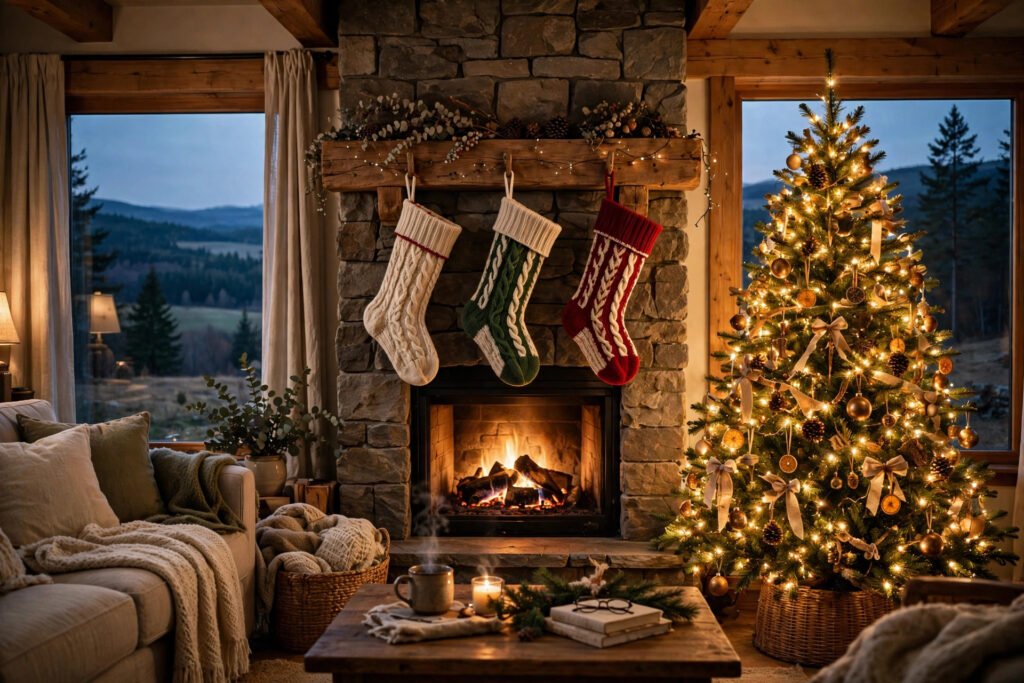
Choose warm amber tones and slightly blurred backgrounds to keep things soft.
2. Minimalist Christmas Wallpapers
Not everyone wants glitter. Minimalist Christmas wallpapers use restraint: one subject, lots of empty space, and a limited palette.
Ideas to try:
- A single small evergreen tree on a plain cream background
- A thin gold line-art star on deep forest green
- One ornament hanging against a soft grey gradient
- A simple row of tiny white lights on black
- A neutral beige background with the word “Joy” in elegant serif type
Minimalist designs are the safest choice for lock screens because the clock and widgets stay perfectly readable. They also age well, since they won’t feel dated next year. If you love Scandinavian design or the calm of a Japandi interior, this is your category.
Pro tip: Pair a minimalist wallpaper with a matching icon colour scheme. A sage-green wallpaper with white icons looks intentional and polished.
3. Pastel and Pink Christmas Wallpapers
Pink Christmas has become a full aesthetic of its own, popular with people who find traditional red and green a little heavy. Think soft blush, baby blue, lilac and cream, with candy-cane stripes and gift bows.
Ideas to try:
- Pastel pink Christmas trees with star toppers on a blush background
- Candy-cane stripes in pink and white
- Pink ornaments clustered like a garland
- Powder-blue snowflakes on a lilac gradient
- Marshmallow-soft clouds with tiny golden stars
If your style leans toward soft girl, balletcore or pastel kawaii, these designs are a natural fit.
4. Coquette Christmas Wallpapers (Bows, Ribbons and Lace)
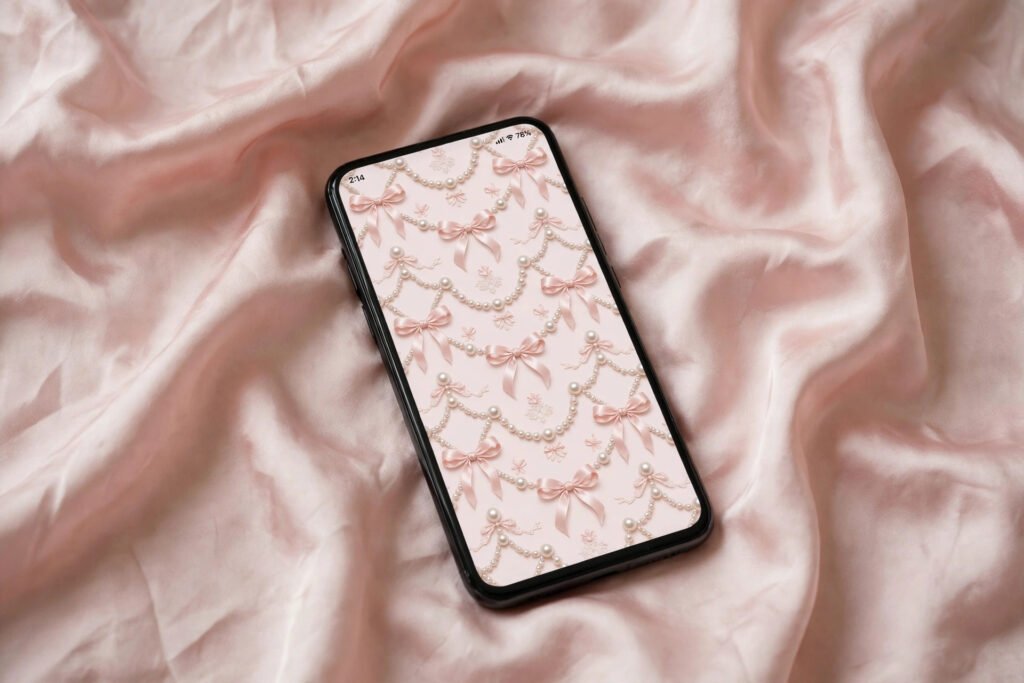
Coquette is all about bows, ribbons, pearls and delicate vintage femininity, and at Christmas it’s irresistible. Bows replace baubles, and ribbons replace lights.
Ideas to try:
- A Christmas tree made entirely of tiny red satin bows
- A blush pink background scattered with ribbon bows and pearls
- A candy-pink gift wrapped with a huge velvet ribbon
- Lace-trimmed stockings on a cream background
- Hand-drawn bows in a repeating pattern
5. Old Money and Elegant Christmas Wallpapers
Old money Christmas is understated luxury: deep green, burgundy, ivory and brass. No cartoons, just elegance. Think a Georgian townhouse at Christmas, fresh garlands and candlelight.
Ideas to try:
- A deep green velvet bow against dark wood
- A photographed greenery garland with tiny gold ornaments
- Burgundy and gold tartan with a subtle shine
- Candlelit mantelpiece with eucalyptus and pine
- A classic nutcracker silhouette against a dark navy sky
Colour balance is the secret here. Pair deep reds and forest greens with soft golds or silvers so the design feels rich but not heavy.
Read Must : 30 Black Christmas Tree Ideas: Bold and Elegant Ways to Style a Dark Tree This Christmas
6. Vintage and Retro Christmas Wallpapers
Nostalgia sells at Christmas. Vintage designs recall mid-century greeting cards, old Polaroids and the glowing bulb strings of a 1970s living room.
Ideas to try:
- Mid-century Santa illustrations with grainy print texture
- A faded Polaroid-style photo of a tinsel-covered tree
- Retro bubble-light strings glowing against a dark panelled wall
- Old-fashioned Christmas postage stamps in a collage
- Aluminium tinsel trees in teal and pink, in a Space Age style
Warm film grain and slightly muted colours give vintage wallpapers their charm. They’re great for people who want Christmas to feel like a memory.
7. Snowy Winter Landscape Wallpapers
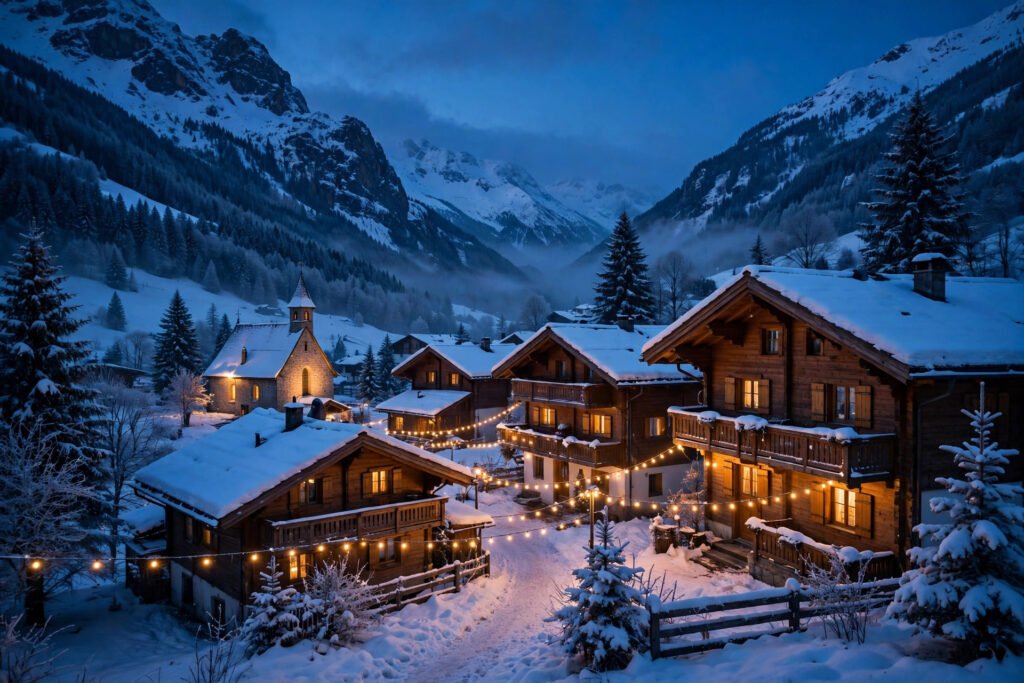
Sometimes the best Christmas wallpaper has no Christmas objects at all, just the feeling of winter. Snowy landscapes also double as December-to-February wallpapers.
Ideas to try:
- A snow-covered pine forest at blue hour
- A wooden cabin with a glowing window in a snowy valley
- A frozen lake with a small skater’s silhouette
- Alpine peaks under a pink sunrise
- A quiet village street dusted with snow and strung with lights
These photographic scenes look wonderful on desktops and tablets, where wide frames show off the scenery. Choose images with a calm sky area to make room for your clock or widgets.
8. Christmas Lights and Bokeh Wallpapers
Few images feel as instantly festive as out-of-focus fairy lights. Bokeh wallpapers are easy on the eye and wonderfully versatile.
Ideas to try:
- Warm gold bokeh circles on a deep green background
- Multicoloured lights glowing softly on a dark wall
- A close-up of tree lights reflecting on a glass ornament
- Frosted window panes with blurred lights beyond
- A blurred city street at night with holiday lighting
Because bokeh is abstract, text and icons stay readable. This is arguably the best choice for a home screen packed with apps.
9. Dark and Moody Christmas Wallpapers
If you like your Christmas a little theatrical, go dark. Deep black, midnight blue and forest green backgrounds make golden lights, red berries and white snow stand out dramatically.
Ideas to try:
- Gold string lights glowing on a pure black background
- A single red ornament in dramatic side lighting
- Holly leaves and berries on dark slate
- A midnight-blue sky with golden stars and a lone pine silhouette
- Dark floral Christmas arrangements in the style of Dutch still-life paintings
These look spectacular on OLED screens, where black is truly black. They suit dark mode users and anyone who likes a more grown-up holiday vibe.
10. Watercolour Christmas Wallpapers
Hand-painted watercolour designs feel gentle and artisanal. The soft edges and blended colours add warmth without clutter.
Ideas to try:
- Watercolour pine branches with red berries on cream paper
- Soft blue snowflakes on a white wash
- A watercolour robin on a snowy branch
- Painted wreaths with ribbon bows
- A blushing watercolour sunset over a snowy village
They work well on tablets and e-readers and make beautiful lock screens because the paper-like texture keeps contrast gentle.
11. Preppy Christmas Wallpapers
Preppy Christmas is playful, tidy and a little bit traditional: plaid, gingham, bows, monograms and candy-striped patterns, often in red, green, navy and pink.
Ideas to try:
- Red-and-white gingham with green bows
- Navy tartan with gold stars
- Candy-cane stripes with preppy bows
- A monogrammed stocking on a plaid background
- Stripes of pink, red and white with tiny Christmas trees
Preppy is one of the most popular styles for students and young adults decorating phones and laptops.
12. Cute and Cartoon Christmas Wallpapers
Kids and kids-at-heart love a cheerful cartoon design. Bright colours and friendly characters make every unlock a small smile.
Ideas to try:
- Dancing gingerbread men on a mint-green background
- Cartoon reindeer in scarves among snowflakes
- A chubby snowman with a carrot nose and top hat
- Penguins in Santa hats on blue ice
- Cheerful elves wrapping presents in a workshop
For anything featuring a named character from a film, show or franchise, stick to official wallpapers or properly licensed sources instead of random reposts. Original illustrated characters, like your own gingerbread cast, avoid any copyright worries.
13. Christmas Tree Wallpapers
The Christmas tree is the star of the season, and it has endless style variations.
Ideas to try:
- A classic tree with multicoloured lights and tinsel
- A white flocked tree with silver ornaments
- A tiny tabletop tree on a window ledge
- A geometric tree made of triangles in green and gold
- A forest of Christmas trees in a repeating pattern
- An upside-down designer tree for an offbeat, modern look
For lock screens, choose a tree positioned slightly lower than centre so the clock sits in the open space above.
Also Read : Xmas Decorations: The Complete Guide to a Warm, Beautiful Home This Christmas
14. Nativity and Religious Christmas Wallpapers
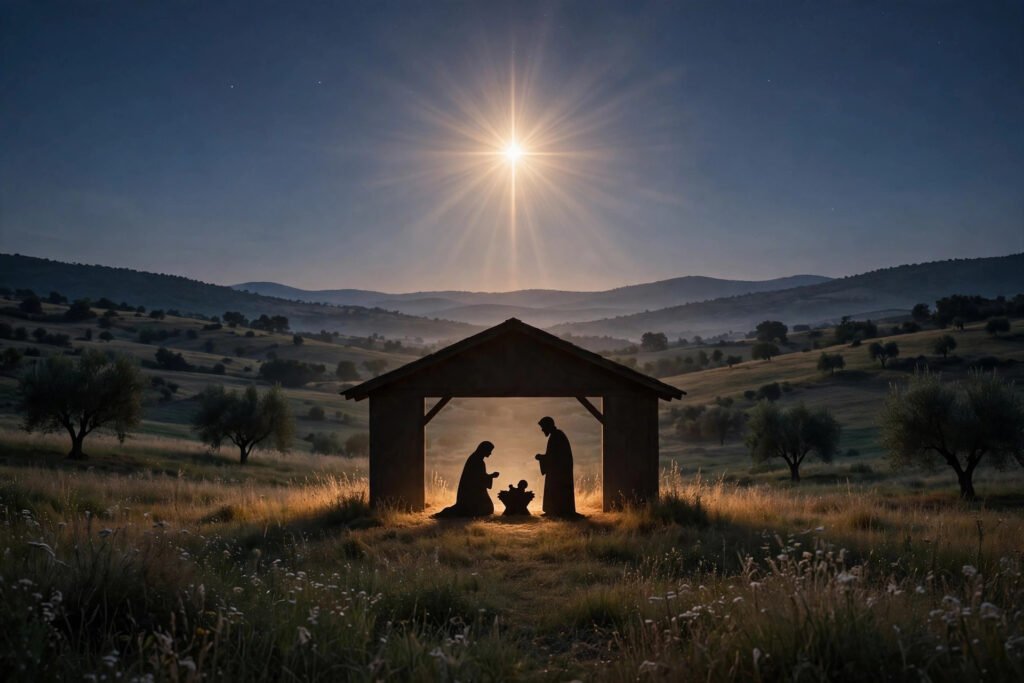
For many families, Christmas is first and foremost a sacred season. Nativity and faith-based wallpapers keep the meaning front and centre.
Ideas to try:
- A silhouette of the nativity scene beneath the Star of Bethlehem
- A stained-glass style design of Mary, Joseph and the infant Jesus
- A peaceful night sky with a bright star and a quiet manger
- A verse such as Luke 2:11 set in elegant calligraphy
- A watercolour Advent wreath with four candles
Check translations and fonts so text is easy to read, and place verses in uncluttered areas of the screen.
15. Typography and Quote Wallpapers
A single word or phrase, nicely set, can be all the Christmas you need.
Ideas to try:
- “Merry & Bright” in gold script on dark green
- “Joy to the World” in classic serif on cream
- “Let It Snow” with hand-drawn flakes
- “Home for Christmas” over a cabin silhouette
- “Peace on Earth” in thin modern capitals
Keep text large enough to read at a glance, and keep it off the very top and bottom edges, where the clock and the camera or flashlight shortcuts sit.
16. Countdown and Calendar Wallpapers
Advent calendar wallpapers turn your screen into a countdown. These can be a grid of 24 doors, a day-by-day chart, or a simple “days until Christmas” design.
Ideas to try:
- A grid of 24 decorated windows for the Advent calendar
- A winter village with numbered doors
- A starry sky with 25 stars to cross off
- A minimal calendar page for December with space for notes
Pair these with a widget or a reminder, and they become genuinely useful.
17. Funny and Pet Christmas Wallpapers
Christmas also has a silly side, and your wallpaper can too.
Ideas to try:
- Your own dog or cat in a Santa hat (a personal photo, the best wallpaper of all)
- A ginger cat tangled in tinsel
- A pug dressed as a reindeer
- A puffy snowman with a funny face
- A tipsy Santa slumped by an empty cookie plate
Personal photos make the most meaningful wallpapers, and they sidestep any licensing questions.
18. Family and Photo Collage Wallpapers
Turn your favourite holiday snaps into a wallpaper that actually matters to you.
Ideas to try:
- A collage of last year’s family photos framed in a Christmas wreath
- A couple’s portrait in front of a tree, with a thin gold border
- Grandchildren in matching pyjamas arranged like Polaroids
- Past holiday cards in a grid
Photo editing apps and design tools make it easy to arrange these in a few taps.
19. Kids’ Christmas Wallpapers
For tablets and kids’ devices, look for bright, friendly designs that are age-appropriate.
Ideas to try:
- A cartoon Santa’s workshop with busy elves
- A friendly reindeer team flying over rooftops
- A snowman family building a snow fort
- A gingerbread village with candy-covered roofs
- A cheerful polar bear on an ice floe
Check that any text is simple and the images are free from anything scary.
20. Christmas Apple Watch and Smartwatch Faces
Small screens can celebrate too. Several watch faces and wallpapers can include festive motifs.
Ideas to try:
- A tiny pine tree on a black background
- A snowflake that grows across the day
- A minimal red-and-green ring design
- A glowing star beside the time
Simple wins on small screens: high contrast, minimal detail.
21. Lock Screen Layering Ideas for iPhone and Android
Modern phones give you more control than ever. A few finishing touches transform a plain wallpaper into a custom lock screen:
- Use the depth effect (iPhone): When a subject like a tree or a person sits in the foreground, the clock can tuck behind it for a polished look.
- Choose a festive clock font and colour: Gold, cream or a soft red can tie into your design.
- Add widgets: A countdown, a weather snapshot or a calendar entry makes the lock screen functional.
- Create a lock-screen set: Keep one wallpaper for the lock screen and a coordinating one (often a blurred version) for the home screen.
- Use focus modes: Set a “Christmas” focus that switches to your holiday lock screen automatically.
- Match your icons: Light, minimal icons suit dark wallpapers, and tinted icons suit pastel ones.
Also Read: Christmas Living Room Decor Ideas: 30 Cozy, Stylish Ways to Make Your Space Feel Like Magic
Part Two: Christmas Wallpaper Ideas for Your Home (Real Wall Wallpaper)
Digital wallpaper changes your screen. Real wallpaper changes your room. If you want a more lasting festive atmosphere, or you’re staging a space for the holiday season, wall coverings offer surprisingly low-effort drama. Home décor brands and murals retailers now offer designs that range from classic to ultra-modern, so you don’t need to settle for tacky.
22. Spruce Branch and Evergreen Wallpaper
Spruce, fir and pine-branch prints bring the forest indoors. They feel natural, calm and elegant, and they don’t scream “Christmas” so loudly that you can’t leave them up in January.
Where it works: Hallways, dining rooms, snug reading corners and powder rooms.
Style tip: Pair with warm wood furniture, brass lighting and fresh greenery for a layered, woodland look.
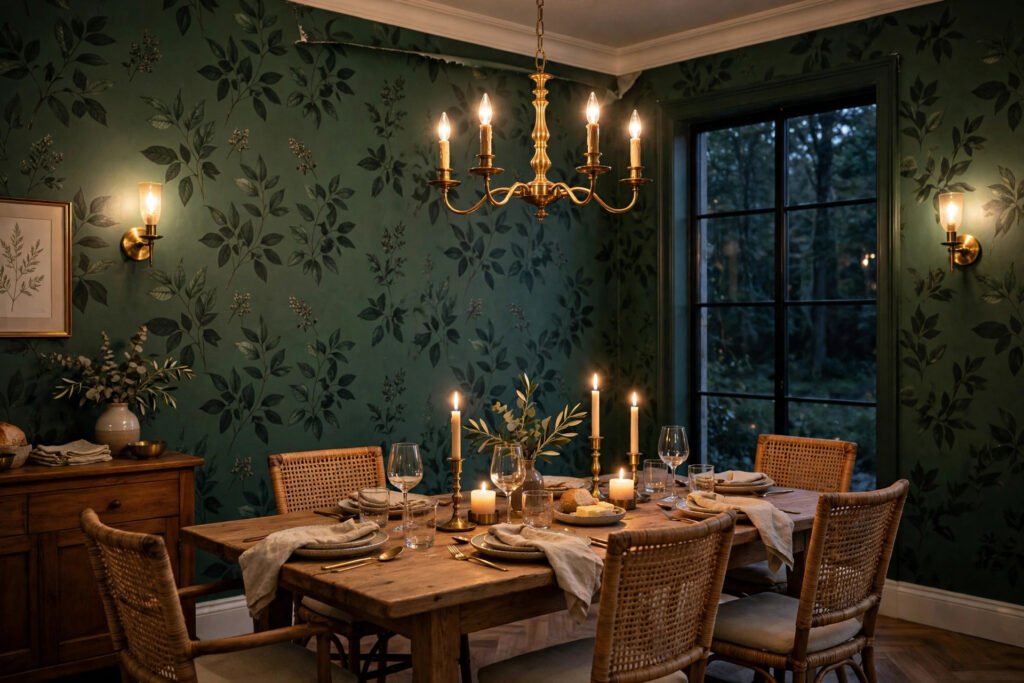
23. Dark Watercolour and Moody Floral Wallpaper
Deep, painterly prints in bottle green, navy and aubergine, scattered with holly, berries or winter botanicals, make a room feel rich and sophisticated.
Where it works: Dining rooms, studies and snugs where candlelight can do the rest.
Style tip: Choose matte finishes and add metallic accents, such as brass candle holders and gold-rimmed glasses, so the walls glow after dark.
24. Peel-and-Stick Christmas Wallpaper
For renters and the commitment-shy, removable wallpaper is the hero. It applies without paste, lifts off cleanly when you’re done and can be cut to size for specific spaces.
Where it works: A single accent wall, the back of a bookcase, the inside of a wardrobe door, or a staircase riser.
Practical tips:
- Always test a small hidden patch first
- Clean and dry the wall thoroughly before applying
- Smooth bubbles with a flat card as you work from the top down
- Remove slowly at a low angle in the weeks after Christmas to protect the paint
25. Christmas Wall Murals
Murals scale up a single scene across a whole wall. A snowy forest, a Nordic village or a starry night sky creates a complete atmosphere in one go.
Where it works: A feature wall behind a Christmas tree, a child’s bedroom, or a restaurant or shop display.
Style tip: Choose a mural that matches your room’s proportions. Panoramic landscapes suit wide walls, while tall forest scenes suit narrow ones.
26. Festive Powder Room and Cloakroom Wallpaper
Small rooms are the perfect place to experiment because there’s less to commit to. A guest bathroom or cloakroom is a chance to go bold with a dramatic print.
Ideas: Scarlet and gold holly, midnight-blue stars, a mix of tartan and stripes, or a whimsical woodland animal pattern.
27. Staircase and Hallway Wallpaper
Hallways greet your guests. Carry wallpaper up the stairwell and you make a grand entrance.
Ideas: A subtle metallic snowflake print, a classic damask in deep red, or soft winter stripes in cream and silver.
28. Ceiling Wallpaper (The Underrated Trick)
Wallpapered ceilings are one of the best-kept interior design secrets. A deep navy ceiling sprinkled with gold stars, or a green botanical print overhead, turns a room into a cosy cocoon.
29. Children’s Bedroom Christmas Wallpaper
Kids love a magical room. Playful prints of reindeer, snow and gingerbread houses make a seasonal bedroom, particularly in a peel-and-stick form that can be swapped after the holidays.
30. Modern and Graphic Christmas Wallpaper
Not all Christmas wallpaper is traditional. Modern designers use bold geometric shapes, abstract trees, scandi-style patterns and unexpected colours like teal, mustard and blush for a contemporary festive scheme.
Style tip: Use one statement wall and keep the rest of the room calm so the pattern leads the look.
Also Read: Outdoor Christmas Lights Ideas: Safe, Stunning Displays for Any Home
Part Three: Colour Palettes That Make Christmas Wallpapers Work
Colour does most of the work in a wallpaper. Here are some palettes that consistently look good:
Classic Christmas: Cranberry red, evergreen, ivory, a touch of gold. Timeless and instantly festive.
Scandinavian Winter: Snow white, soft grey, pale blue and natural wood tones. Calm, bright and airy.
Old Money Elegance: Forest green, burgundy, cream and antique brass. Rich and refined.
Pastel Christmas: Blush pink, baby blue, lilac and silver. Soft, whimsical and modern.
Dark Luxe: Black, midnight blue, gold and deep emerald. Dramatic and glamorous.
Cabin Cozy: Rust, caramel, charcoal and cream. Warm, woodsy and earthy.
Tropical Christmas: Teal, coral, palm green and sandy beige. For anyone celebrating by the beach.
Colour balance rule of thumb: Use one dominant colour (about 60%), one secondary (about 30%) and a small accent (about 10%). This keeps the design cohesive instead of chaotic.
Part Four: How to Make Your Own Christmas Wallpaper
Ready-made Christmas wallpaper ideas are lovely, but custom wallpaper makes the season feel personal. The process is easier than you’d think.
Method 1: Use a Design Tool
Free design platforms such as Canva, Adobe Express, Kapwing and Picsart offer wallpaper templates in standard phone and desktop sizes.
- Choose a template sized for your device (or enter custom dimensions).
- Swap in your own colours, fonts and photos.
- Keep key elements away from the top and bottom edges.
- Export in PNG or high-quality JPG.
- Save it to your photos and set it as your wallpaper.
Method 2: Use a Photo Editing App
Many photo apps let you add snow overlays, light effects, stickers and text to your own pictures. This is ideal for turning a family photo or a picture of your tree into a one-of-a-kind lock screen.
Method 3: Generate One With AI
AI image tools can produce original wallpapers from a short description. The more specific your prompt, the better the result. A reliable formula looks like this:
[Subject] + [setting] + [lighting] + [style/medium] + [colour palette] + [format and layout]
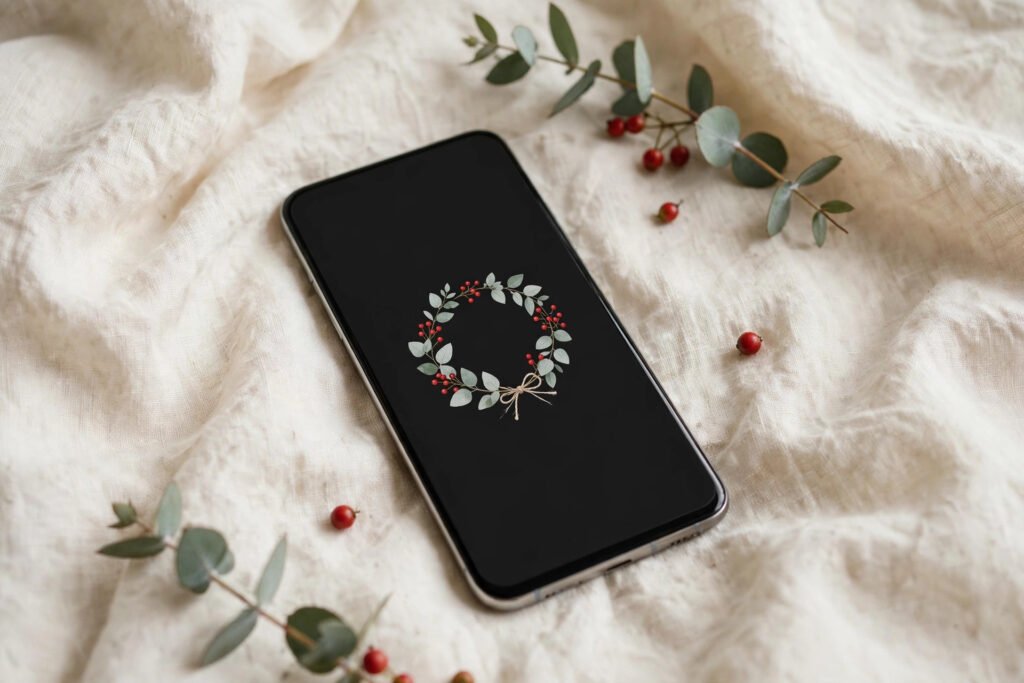
For example: “A tiny red-berry wreath on a cream linen background, soft window light, minimalist flat-lay photography, muted sage and cranberry palette, vertical phone wallpaper with empty space at the top.”
Prompt tips:
- Mention the aspect ratio (for example, “vertical phone wallpaper”)
- Ask for “empty space at the top” to leave room for the clock
- Name an art style (watercolour, flat illustration, film photography)
- Avoid naming copyrighted characters or brands
- Generate several versions and pick the best
Method 4: Take Your Own Photograph
Honestly, this is often the winner. Photograph your tree at dusk with the lights on and the room lights off. Shoot your mantel with a candle glowing, or snap a snowy morning outside your window. Slightly blur the background using portrait mode, crop to your screen’s ratio and you have a wallpaper no one else has.
Part Five: Where to Find Free Christmas Wallpapers (Safely and Legally)
Free doesn’t always mean free to use, and low-quality sites can be full of pop-ups or worse. Here’s how to stay safe:
- Use reputable photo libraries. Sites such as Unsplash, Pexels and Pixabay offer free images under their own licences, which allow personal use. Always check the licence on each one.
- Check the resolution before downloading. Look for sizes that match or exceed your device.
- Try wallpaper galleries from trusted publishers. Many tech and design sites publish seasonal wallpaper collections.
- Browse design platforms. Template sites offer editable designs you can adapt.
- Avoid shady download sites. If a site asks you to install software to download an image, leave.
- Be careful with copyrighted characters. Fan art and licensed characters are usually fine for private use on your own device, but don’t repost or sell them.
- Support independent artists. Many illustrators sell Christmas wallpaper packs for a few dollars, and your purchase directly supports their work.
Also Read: Red Christmas Tree Ideas: 25+ Ways to Decorate a Bold, Beautiful Tree This Year
Part Six: A Simple Seasonal Wallpaper Schedule
If you like to change things up, try rotating your wallpaper across the season:
- Early to mid-November: Cozy autumn-meets-winter looks, such as warm lights and knitted textures
- Late November (Thanksgiving week): Switch to full Christmas, with trees, ornaments and lights
- December 1 to 24: Advent countdowns and the classics
- December 25: Something special, like a family photo, a nativity or a “Merry Christmas” message
- December 26 to New Year: Cosy winter and New Year designs, with stars, sparkle and gold
- January: Peaceful snow scenes, then back to your everyday favourites

Part Seven: Common Mistakes to Avoid
- Choosing a low-resolution image. It looks fuzzy on modern screens.
- Putting busy patterns behind your icons. You’ll struggle to find apps.
- Ignoring the clock zone. Faces and focal points hidden behind the time are frustrating.
- Picking a design that clashes with your icons or widgets. Check how it looks on your actual home screen.
- Using someone else’s copyrighted art commercially. Keep it personal.
- Mismatching lock and home screens. A coordinated pair feels polished.
- Forgetting to take it down. If you want your phone to feel fresh in January, set a reminder.
Part Eight: Pairing Your Wallpaper With the Rest of Your Holiday Aesthetic
A wallpaper looks best when it fits into a bigger picture. Here are some easy ways to build a coordinated look.
Match your tree. If your tree is white and silver, a snowy minimalist wallpaper reflects it. A rustic tree with wooden ornaments pairs with a cabin or forest scene.
Coordinate your phone case and watch band. A neutral wallpaper with a red or green accessory ties everything together.
Set the mood with sound and scent. It sounds silly, but your wallpaper, a cinnamon candle and a favourite carol playlist feed the same feeling.
Use it as a mood board. Not sure how to decorate your home this year? Set your wallpaper to your dream style and notice how you feel about it over a week. It’s a free test run.
Share the look. Family members love matching wallpapers. Send a set to your partner, parents or kids for a shared festive touch.
Final Thoughts: Let Your Wallpaper Carry the Season
Christmas is full of big gestures: the dinners, the trips, the gifts. But much of its magic lives in small, repeated moments, like a tiny glow on your screen when you check the time on a dark December morning. A good Christmas wallpaper gives you that glow dozens of times a day.
The best choice is the one that feels like you. Maybe that’s a minimalist green with a single gold star, or a cartoon reindeer who makes you smile on the commute. It could be a nativity scene that centres your faith, or a dark, moody wall of spruce branches that makes your dining room feel like an old Alpine inn. Whatever you choose, match it to your device, leave room for the clock, pick a palette you love, and don’t be afraid to swap it as the season unfolds.
So pick a style from these Christmas wallpaper ideas, set it as your lock screen, and let the season begin.
More Christmas and wallpaper ideas to explore:
Frequently Asked Questions
What are the best Christmas wallpaper ideas for iPhone?
The most popular ideas include cosy fireplace scenes, minimalist trees, pastel and coquette bow designs, dark luxe florals and snowy landscapes. Choose one that matches your phone, your home and the mood you want.
When should I put up my Christmas wallpaper?
There is no rule, but many people switch in early to mid-November, and most go fully festive after Thanksgiving. Change it whenever it makes you smile.
What size should a Christmas wallpaper be?
Match your device’s screen resolution. Recent iPhones need roughly 1170×2532 to 1320×2868 pixels, Android phones 1080×2400 to 1440×3200, and laptops 1920×1080 or higher. When in doubt, download the largest version available.
Where can I get free Christmas wallpapers?
Reputable photo libraries such as Unsplash, Pexels and Pixabay offer free images, and design platforms such as Canva offer editable templates. Always check the licence before you use an image.
How do I make my own Christmas wallpaper?
Use a free design tool with a wallpaper template, edit a personal photo in a photo app, generate one with AI, or take your own photograph. Keep key elements away from the top and bottom edges.
What are aesthetic Christmas wallpaper styles?
Popular aesthetics include cosy, minimalist, pastel pink, coquette, old money, vintage, dark and moody, watercolour, preppy, Scandinavian and cabin-core. Each has its own colour palette and mood, so choose one that matches your personality and home.
Will a dark Christmas wallpaper save battery?
On OLED screens, pure black pixels switch off, so dark wallpapers can ease battery use a little. The saving depends on your phone, brightness and how much of the image is truly black. On LCD screens, the difference is minimal.
Can I use Christmas wallpaper in my real home?
Yes. Options include spruce-branch prints, dark watercolour florals, murals and peel-and-stick designs for renters. Powder rooms, hallways, ceilings and a single accent wall are great places to start, and removable wallpaper lets you take it down after the holidays.
Is it okay to use wallpapers with copyrighted characters?
For private use on your own phone or computer, it is generally fine, but you should not sell, repost or use these images commercially. For anything public, choose original artwork, licensed images or designs you have created yourself.
How do I make my lock screen readable with a busy wallpaper?
Pick images with a calm area at the top for the clock and notifications, use a blurred or darker version for your home screen, add a subtle overlay if needed, and choose a clock colour that contrasts with the background. Minimalist and bokeh designs are the easiest to read.





One comment on “Christmas Wallpaper Ideas: 30 Cozy, Aesthetic and Creative Designs for Your Phone, Desktop and Home”